
You just saw the trailer, your finger's hovering over "Buy," and then it hits you: can my computer run this game? If you've ever downloaded a game only to watch it crawl at 12 fps, you know the frustration. The good news is checking compatibility takes minutes and saves you hours of disappointment. Just use our PC checker tool and solve your gaming problem.
Can My Computer Run This Game? Your Answer Lies Here
Every game lists "minimum" and "recommended" specs for CPU, GPU, RAM, storage, and OS. Instead of manually comparing your hardware to a wall of jargon, a PC checker does it for you instantly. This matters because a game might technically launch but run so poorly it's unplayable. Checking ahead helps you avoid wasted downloads and buyer's remorse.
Quick tip for PC checker tool: Always check both minimum and recommended specs, minimum tells you if it'll run at all, recommended tells you if it'll run well.
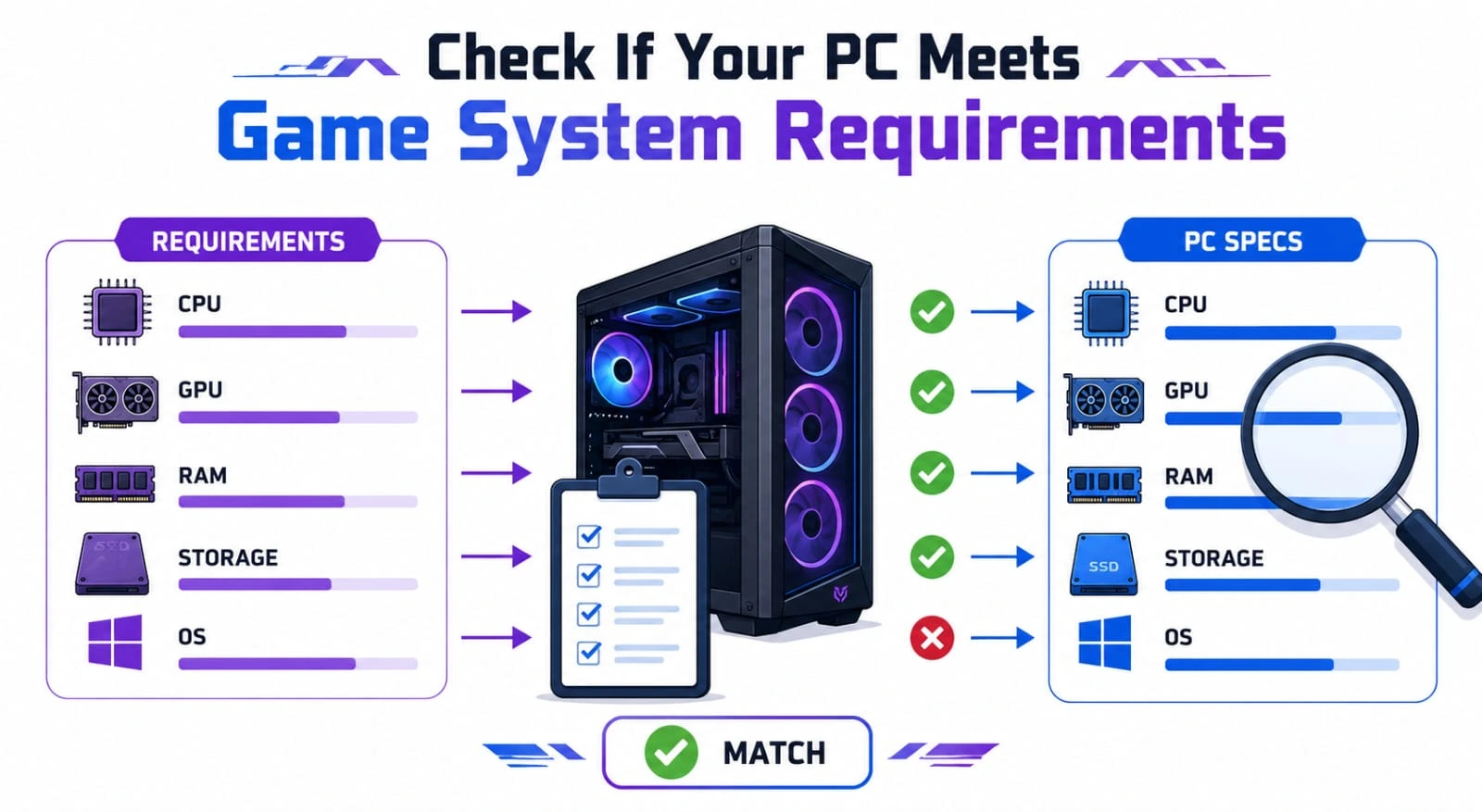
Automatic PC Check Compatibility Tool
Search for a Game
Type in the game's name and pull up its official requirements. Watch out for different editions (deluxe vs. standard), as requirements can vary slightly.
Compare Your Hardware Against Requirements
View Compatibility Results
You get a clear breakdown: does your PC meet minimum, recommended, both, or neither? Some tools even predict expected frame rates.
Get Optimization Tips for Better Performance
After checking compatibility, get practical tips to improve performance, such as updating drivers, lowering graphics settings, freeing storage, or upgrading hardware.
Can You Run It? Find Out in Seconds
Analyze Your Computer Hardware
A quick scan identifies your CPU, GPU, RAM, storage, and OS automatically, no digging through menus required.
Check CPU Requirements
Your CPU handles game logic, AI, and physics. Strategy games and open worlds full of NPCs lean heavily on it. A weak CPU causes stuttering even with a strong GPU.
Check GPU Requirements
Your GPU renders textures, lighting, and effects. If the recommended GPU is much stronger than yours, lower settings like shadows or texture quality, a normal part of PC gaming.
Check RAM Requirements
RAM is short-term memory for active data. Too little causes long load times or crashes. Most games want 8GB minimum, with 16GB increasingly recommended.
Check Available Storage
Modern games can need 100GB+. Check you have room not just for install, but for future updates too.
Check Operating System Compatibility
An outdated OS can cause install failures or poor performance even on powerful hardware. Quick tip: Updating your OS and graphics drivers is one of the easiest ways to boost compatibility and performance.
Games My PC Can Run
Games for Low-End PCs
Indie titles, retro-style games, 2D platformers, and puzzle games run great on modest hardware.
Games for High-End PCs
Latest releases at max settings with ray tracing and high frame rates, the focus shifts to optimization, not compatibility.
Games Based on Your Graphics Card
Your GPU model strongly indicates what runs well, compatibility tools can recommend titles known to perform on your specific card.
Games Based on Your Processor
Your CPU matters especially for simulation, strategy, and open-world genres, matching games to it avoids CPU bottlenecks.
Most Popular PC Games Requirements
Action Games
Balance CPU and GPU demands evenly, fast combat and particle effects tax the GPU while AI taxes the CPU.
RPG Games
Open-world RPGs with large maps and NPCs benefit from extra RAM and a strong CPU, not just a good GPU.
Battle Royale Games
Large maps and many players make these demanding on both CPU and GPU, plus your internet connection matters too.
Racing Games
GPU-heavy due to reflections and weather effects, though many are well-optimized for mid-range hardware.
Sports Games
Generally forgiving on hardware, though realistic crowds and commentary in newer entries can raise requirements.
Simulation Games
City builders and flight sims can be extremely CPU-intensive due to managing thousands of calculations at once.
Find Compatible Games Using the PC Checker Tool
Discover Compatible Games
Indie titles, retro-style games, 2D platformers, and puzzle games run great on modest hardware.
Browse Games by Hardware
Latest releases at max settings with ray tracing and high frame rates, the focus shifts to optimization, not compatibility.
Find New Games for Your PC
Your GPU model strongly indicates what runs well, compatibility tools can recommend titles known to perform on your specific card.
Explore More Games with Similar Requirements
Your CPU matters especially for simulation, strategy, and open-world genres, matching games to it avoids CPU bottlenecks.
What Will Run on My Computer?
Search by CPU
See what games and settings are realistic for your specific processor, especially useful for CPU-heavy genres.
Search by Graphics Card
Quickly estimate visual performance across many games using detailed GPU performance data.
Search by RAM Size
Highlight games where 8GB might cause issues versus titles that run fine on lower memory.
Search by Operating System
Sometimes an OS update is all it takes to unlock a previously incompatible game.
Understanding Game System Requirements
Minimum System Requirements
The lowest-spec hardware guaranteed to run the game, usually at low settings and lower resolution.
Recommended System Requirements
A more comfortable experience, typically medium-to-high settings at 1080p with stable frame rates.
Why System Requirements Matter
Developers test on specific configurations to set realistic expectations. Ignoring requirements risks poor performance and instability.
Common Hardware Limitations
The usual bottlenecks are GPU power, RAM amount, and storage type, an SSD versus HDD can drastically affect load times.
How Our PC Checker Works
Hardware Detection Process
A quick scan identifies your CPU, GPU, RAM, storage, and OS, similar to checking your system settings, just automated.
Requirement Matching System
Your detected hardware is lined up against the game's official requirements, component by component.
Compatibility Scoring
You get a clear rating: meets minimum, meets recommended, or below minimum, no need to interpret raw numbers yourself.
Performance Prediction
Advanced tools estimate frame rate ranges based on similar hardware configurations, useful for setting realistic expectations.